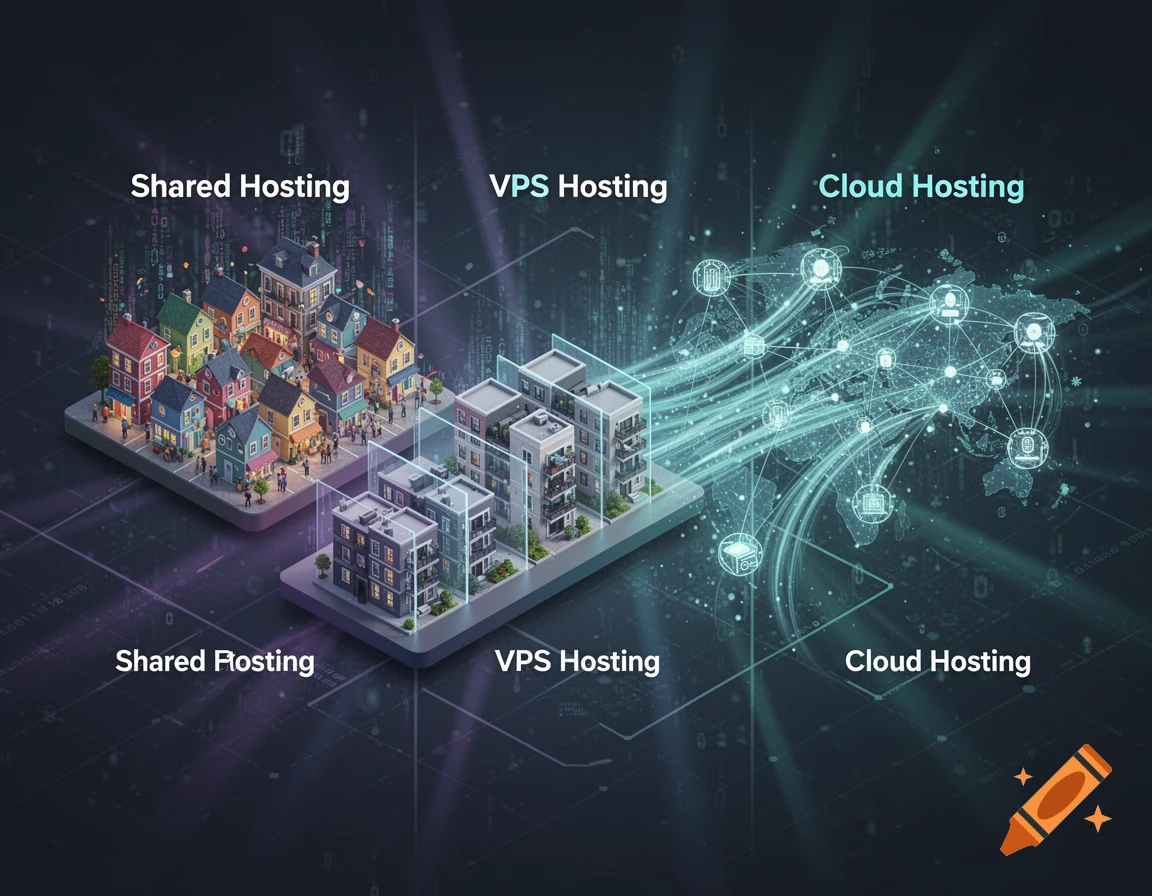
Choosing the right type of hosting is one of the biggest decisions when starting a website. You’ll often hear terms like shared hosting, VPS hosting, and cloud hosting — but what do they actually mean?
More importantly, which one should you choose?
In this guide, we’ll explain the differences in the simplest way possible so you can pick the right hosting without confusion.
🌐 Why Hosting Type Matters
Your hosting type affects:
- Website speed ⚡
- Performance under traffic 📈
- Security 🔒
- Cost 💰
👉 Choosing the wrong hosting can lead to slow loading times and poor user experience.
📦 1. Shared Hosting (Best for Beginners)
Shared hosting is the most basic and affordable type of hosting.
🔍 How It Works
Your website shares a single server with many other websites.
👉 Think of it like living in an apartment building — you share resources like electricity and water.
✅ Pros:
- Very cheap ($2–$5/month)
- Easy to use
- No technical knowledge required
❌ Cons:
- Slower performance during high traffic
- Limited resources
- Less control
👉 Best for: Beginners, blogs, small websites
👉 Read: What is Web Hosting? (Beginner’s Guide)
⚙️ 2. VPS Hosting (More Power & Control)
VPS stands for Virtual Private Server.
🔍 How It Works
You still share a server, but your website gets its own dedicated portion of resources.
👉 Think of it like owning a condo — more privacy and control than an apartment.
✅ Pros:
- Better performance than shared hosting
- More control and customization
- Handles more traffic
❌ Cons:
- More expensive ($10–$30/month)
- Requires some technical knowledge
👉 Best for: Growing websites and businesses
☁️ 3. Cloud Hosting (Best for Scalability)
Cloud hosting uses multiple servers instead of just one.
🔍 How It Works
Your website is hosted across a network of servers, so if one server fails, another takes over.
👉 Think of it like a network of homes instead of a single building.
✅ Pros:
- High reliability
- Scalable (handles traffic spikes easily)
- Fast performance
❌ Cons:
- Can be more expensive
- Pricing can be complex
👉 Best for: High-traffic websites, businesses
🔥 Shared vs VPS vs Cloud Hosting (Quick Comparison)
| Feature | Shared Hosting | VPS Hosting | Cloud Hosting |
|---|---|---|---|
| Price | Very Cheap | Medium | Flexible |
| Performance | Basic | Good | Excellent |
| Control | Low | Medium | High |
| Scalability | Limited | Moderate | High |
| Best For | Beginners | Growing sites | High traffic |
🧠 Which Hosting Should You Choose?
Here’s a simple recommendation:
- 👉 Choose Shared Hosting if you’re a beginner
- 👉 Choose VPS Hosting if your site is growing
- 👉 Choose Cloud Hosting if you expect high traffic
🚀 Beginner-Friendly Hosting Providers
Here are some recommended options:
⭐ Hostinger
- Great for shared and VPS hosting
- Affordable pricing
- Easy to use
⭐ Bluehost
- Beginner-friendly
- Perfect for WordPress
- Free domain included
⭐ Cloudways
- Excellent cloud hosting
- High performance
- Flexible scaling
⚠️ Common Mistakes to Avoid
- Starting with VPS or cloud too early
- Choosing based only on price
- Ignoring scalability
- Not checking performance
🎯 Final Thoughts
Understanding the difference between shared, VPS, and cloud hosting helps you make a smarter decision for your website.
👉 Start simple, grow gradually, and upgrade when needed.
For most beginners, shared hosting is the best starting point — it’s affordable, easy, and perfect for learning.